图生视频 AI
请选择模型
更多相似玩法
Image to Video AI
Turn image into a video
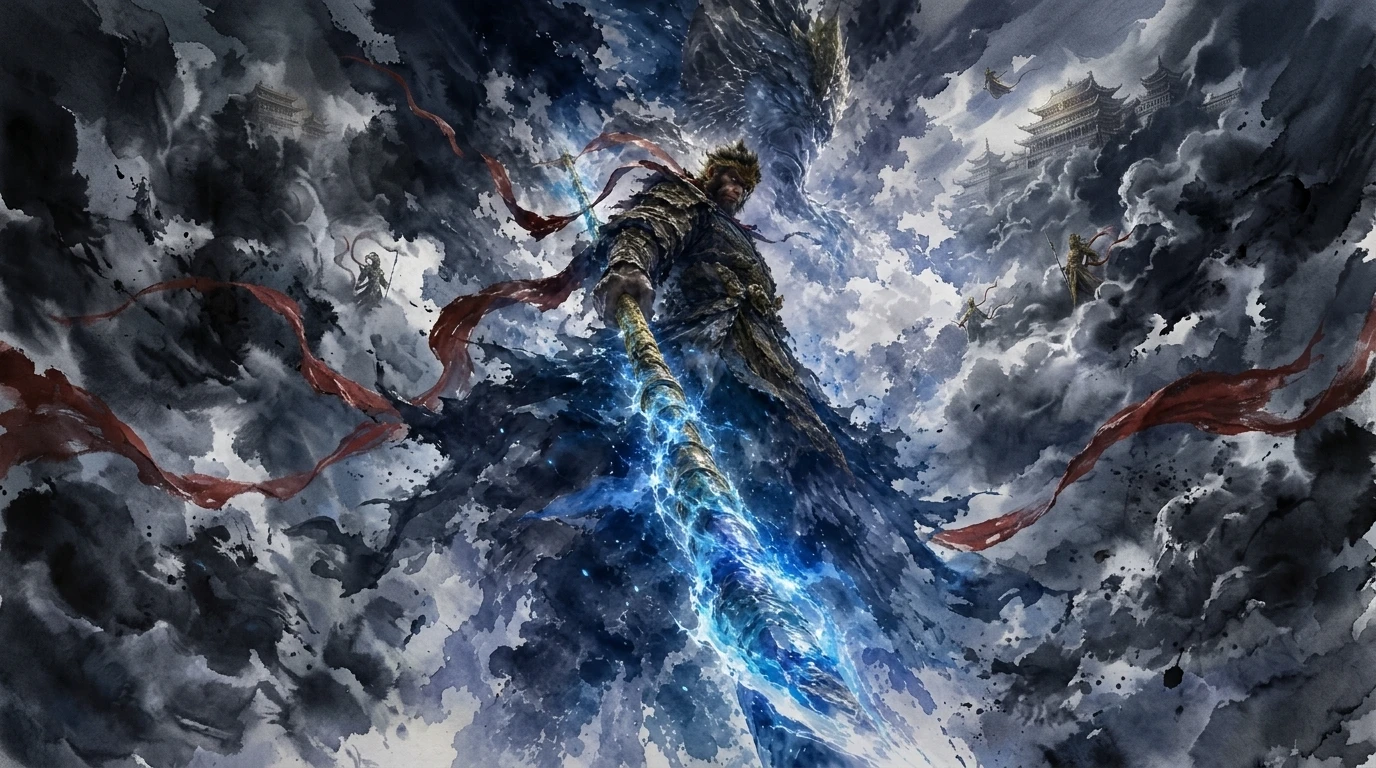 处理前
处理前Features authentic mythological watercolor brushwork with vibrant blue-white pigment splashes. The Great Sage stands firmly in the center with eyes faintly glowing in cold blue as radiant light flows continuously into his staff. Above him, a massive ink-wash monkey shadow disintegrates into thousands of luminous particles, cascading downward like a waterfall to merge into his armor and illuminate its intricate details.
Make a Portrait Move
Turn any portrait or still photo into motion — walking, dancing, or acting out a scene. Upload an image, type a prompt, and download your animated photo in seconds.
One Product Photo, a Full Ad Video
Upload one product photo and get a commercial ad video — camera moves, lighting and backgrounds included, no shooting day. Export 9:16 for TikTok and Reels, or 1:1 for feeds, in minutes.
From a Selfie to a Full Body Shot
Got one good selfie? Upload it and get a full body video back — no photoshoot, no model. Pick a pose and an outfit, and the AI extends your face photo into a full body shot in seconds.
使用步骤
step1
Upload your image — 【JPG / PNG / WEBP】, 【300×300px】 or larger.
step2
Describe the motion, then set duration, aspect ratio and model.
step3
Preview, regenerate with another model if you want, and download an MP4.
常见问题
What is image to video AI?
Image to video AI turns a still photo into a short video clip. You upload an image, describe the motion or camera move you want, and the AI generates new frames from it — no timeline, keyframes, or editing software required. It works with portraits, product shots, landscapes and AI-generated images.
Do I need editing experience?
No. There is no timeline and nothing to keyframe — you upload, describe, and generate.
Can ChatGPT turn a photo into a video?
ChatGPT can generate and edit images, but it does not produce video. Turning a photo into a video needs a dedicated image to video AI generator —visyo,ai upload your photo here, describe the motion you want, and download the clip.
Is image to video AI free to try?
Yes. You can get free credits to try image to video AI. You may also earn more credits through daily check-ins, sharing, and limited-time events.
What image formats and aspect ratios are supported?
You can upload [JPG / PNG / WEBP]. Available aspect ratios are 9:16 (TikTok, Reels, Shorts), 1:1 (feeds) and 16:9 (YouTube, landscape), with output up to 1080P. For best results use a high-resolution image with good lighting and a clearly visible subject.